Best Practices
Run /init on your project at least once
Initialisation is the equivalent of onboarding for a human developer. Before working with CodeBot on any non-trivial project, run /init.
Read more about init / onboarding CodeBot.
Tell /init things it needs to know
If you were onboarding a developer, you would give an overview of the architecture, but also the problems and things that always catch out new devs. CodeBot is that new developer.
Tell /init what will catch it out: the gnarly bits of code, the rules you have for working in a particular area.
New Work means a New Session
CodeBot's context and memory grows over time. If you start something new, unrelated to what you were just doing, start a new session.
This is:
-
Cheaper
-
Less confusing for CodeBot
In the Chat window, click the  CodeBot menu button, then choose
 New Session.
'Remember to...'
CodeBot will notice what you tell it about how to do things. To remember these longterm, tell CodeBot to remember them. This ensures it will remember in the next session.
It will usually realise this means longterm memory and you'll see it edit in the chat, but if it doesn't get it, specify 'save this in your in agents.md'.
We always implement interfaces delegated to subobjects via the implements keyword. Remember this [in your agents.md]
CodeBot differentiates between team practices and personal practices, ie what you personally want about what and how it does. You can instruct it to remember in your personal agents.md.
When implementing a delegated interface, I always format each interface's methods in a new public section. Remember this [in my personal agents.md]
Pick the right intelligence level
CodeBot can be set to be smarter, but it costs more. Thus, choosing a lower level of intelligence keeps your costs down; if CodeBot gets stuck or can't achieve something, you should turn the intelligence up.
If CodeBot is unable to achieve a task, don't keep trying. Instead, increase the intelligence level and then continue.
Read more about choosing CodeBot's intelligence.
Work results depend on input description
The more information you give CodeBot the better it can work. Think of CodeBot as a really enthusiastic junior developer who's helping you out. You have to give them good instructions.
Tell CodeBot:
-
What you want it to do
-
Why you want it: this helps it form judgements as it makes choices
-
Advice and gotchas: if you are more experienced and knowledgeable in the area you're working -- what would trip someone up? Tell it.
With these kinds of input, CodeBot can make remarkably smart decisions and code.
Ask CodeBot questions
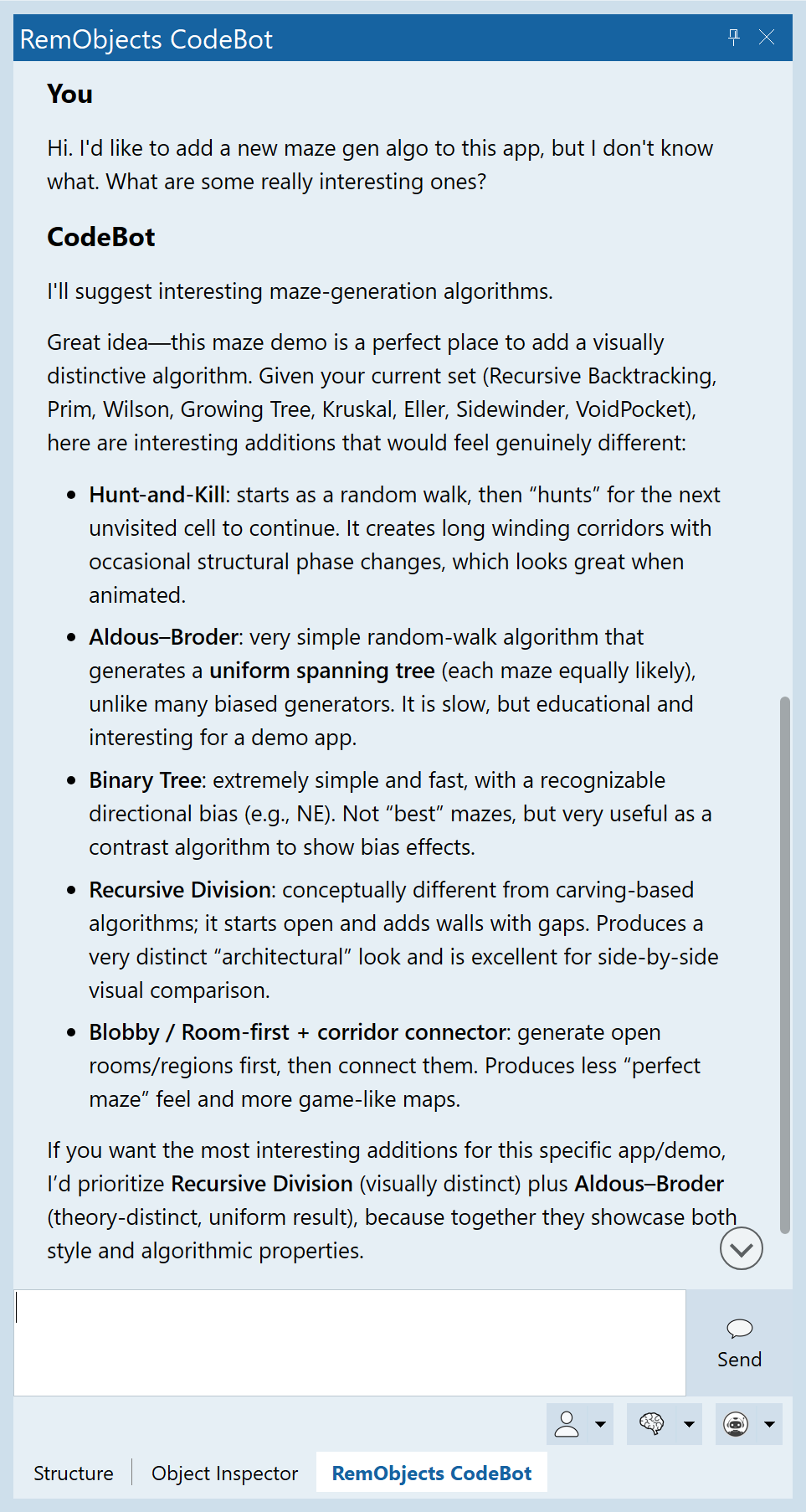
Standard and Max intelligence levels are really good at discussing coding. Ask it for input!
Unsure about something, what to explore a concept, want suggestions... ask CodeBot.
Treat it as someone who knows less about your codebase than you do, but more about the general world of coding than any of us do.
Choose how you interact
There are two ways of working with CodeBot. Take full advantage of them.
If you want to work with CodeBot like normal coding agents, remember that iteration helps. Let it do something, review or test it, let it revise. Understanding builds over time.
If you want to trust CodeBot and let it work, turn on Autopilot (unattended mode) and if you have complex tasks, turn the intelligence up and turn on Code Review.
Normal interaction -- chat, watch it, write messages as it works, answer its questions, see it work -- is like giving your junior colleague a task. You have to check in occasionally. We've all had (or been!) that newbie who dug into something but didn't quite know enough, and a few knowledgeable words from someone who's been at the company longer helped a lot. CodeBot is the same, and you are the one who can drop advice as it works.
Autopilot with Review mode is like giving them instructions, and then knowing another colleague will review and assist them. It's not you, but you can feel much more reliability than if it was working solo.
Talk to us :)
CodeBot is new, and will have quirks or issues. We'd love to know so that we can make it even better.
Please email support@remobjects.com with any feedback, and if there are examples or log files you can attach (see  Settings, Advanced, Locate to find the current session's logs, noting they contain everything including source code) we'd be very grateful!