Common Workflows
The most common workflow is simply to write messages to CodeBot; it usually does the right thing (answer questions, research issues, write code, etc.) But some useful ways to take advantage of CodeBot include:
-
Planning complex work out before doing it
-
Researching your codebase
-
Creating new projects or modules, including with complex content
-
Finding bugs
-
Asking / consulting on next steps
-
Code Review
-
Security Review
Planning Before Doing
When you write to CodeBot to ask it to implement something, usually it will just do it. Sometimes, if it judges the work is complex, it will create a plan first -- analyse the problem, create a set of steps, and run this past you before it begins.
You can get it to plan for any work, even work it might normally jump into doing, and this can be very useful for quality results. The reason is that just like a human, researching and planning out ahead of time means that the implementation is more informed.
To do this, either ask CodeBot to plan in ordinary language, or use the /plan slash command.
See Prompt Cookbook for examples.
Researching Your Code
It's really common to ask CodeBot to find functionality or trace code flow. This is different to searching for a string: you can ask for behaviour, dependencies, or the path from an event handler to some later effect.
Anything that you would spend time doing, but that is not related to your actual goal, can be done via CodeBot. (Ie: you want the implementation of Foozlenator, but the work of finding it is not a valuable use of your time. Therefore you focus on the goal, and let CodeBot do the grunt work. It's more efficient.)
See Prompt Cookbook for examples.
Creating Projects and Modules
CodeBot can create complete named projects and add new modules (forms, frames, data modules, inherited forms or frames, and many items from the IDE object repository), not just edit files that already exist.
You can ask what is available before choosing:
What kind of projects and modules can you create or add?
CodeBot has its own built-in capability to create Windows VCL applications, FMX multi-device applications, Windows API applications, console applications, dynamic libraries, packages, and C++ static libraries, as well as forms, frames, and data modules. Static libraries are C++Builder-only.
CodeBot can also use compatible project and form/item templates installed in RAD Studio's Object Repository, including inherited items, unit-test templates where available, and templates added by third-party components.
Compiled Object Repository wizards use their own UI and would block CodeBot from continuing, so CodeBot does not invoke those. It can create Object Repository items that are stored as templates.
For example:
Create a new VCL application with two forms. Make one look like a dialog.
Create a new unit test project.
See the Prompt Cookbook for these and other examples.
Find bugs
CodeBot can read your code and figure out where the likely cause of a bug may lie. We recommend turning on Max intelligence for this.
A user reports that when opening this dialog, and tabbing, it crashes. I have no call stack, no other repro steps, no real info. Can you figure out what might be happening? Find all possibilities that match.
For unclear bugs, ask for several hypotheses, not just one. It will keep looking after it finds the first.
See Prompt Cookbook for examples.
Ask or Consult
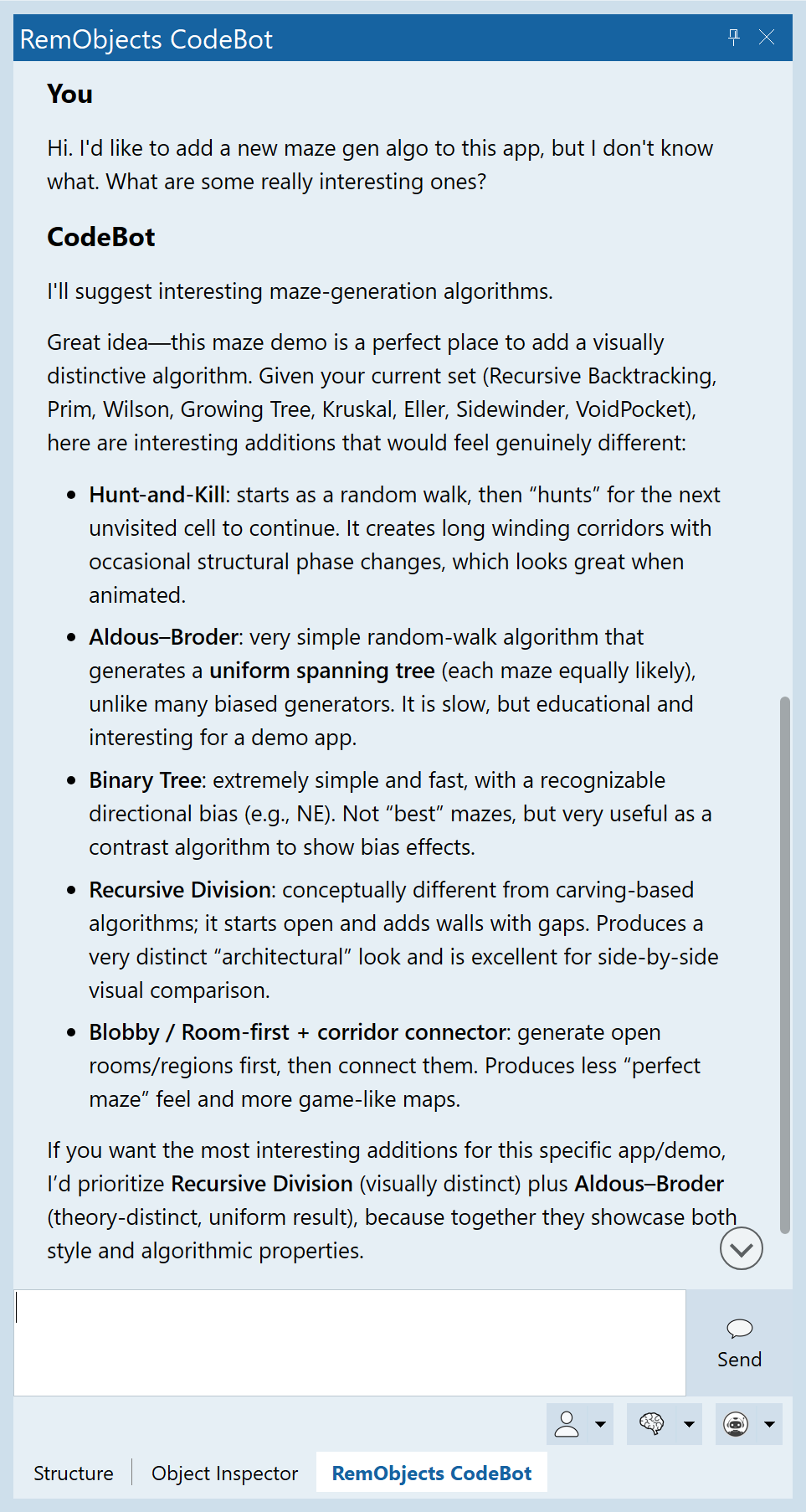
CodeBot has excellent knowledge of computing and computer science / programming approaches. It is extremely valuable to ask its input. Often, it has ideas or knows about industry approaches that even knowledgeable and expert developers may not have come across.
See Prompt Cookbook for examples.
Code Review
Pre-AI, code review was best done by asking a colleague to look at your code. However, CodeBot is good at it, and you can ask it to review any code or implementation.
Tip: If it finds issues, you can of course ask it to fix them -- but even better is to ask it to create a plan to fix them. As noted above, it will research more, and implement more thoroughly.
See Prompt Cookbook for examples.
Security Review
CodeBot can also look specifically for security issues. Invoke this with the /security slash command.
See Prompt Cookbook for examples.