Your First 15 Minutes with CodeBot
The best way to understand CodeBot is to give it a small, real task and watch what it does. This walkthrough keeps your first usage safe for your code: first questions, then a small low-risk change only if you want to try one.
1. Open CodeBot
Open a project or project group, then go to the IDE's View menu > RemObjects CodeBot > Chat.
We recommend docking CodeBot to one side of the IDE and saving your desktop layout, as described in Showing CodeBot.
2. Ask About the Project
Start with a question:
What does this project do? Give me a short overview first, then list the main units or forms I should know about.
This lets CodeBot read and research your code without changing it.
3. Ask It to Find Something
Ask about a feature, not just a text search:
Where is the main settings dialog implemented, and how is it opened?
or:
Trace what happens when the user clicks the Save button.
This is a good way to see CodeBot working like a developer who is learning the codebase. It can read files, search, and explain why it is looking at something. Once you're familiar with how it works, you can apply the same understanding to seeing it make changes and edits in future too.
4. Try a Small Change
When you're ready to let CodeBot edit code, start small:
Change the caption of this button to "Refresh". Make only that change.
or:
Add a short comment explaining why this workaround exists. Do not change the logic.
CodeBot will show edits as diffs in the chat. Read the diffs.
5. Read the Recap
When CodeBot finishes, it prints a summary of what it just did, the Recap. For larger work, the Recap is often the fastest way to understand what just happened.
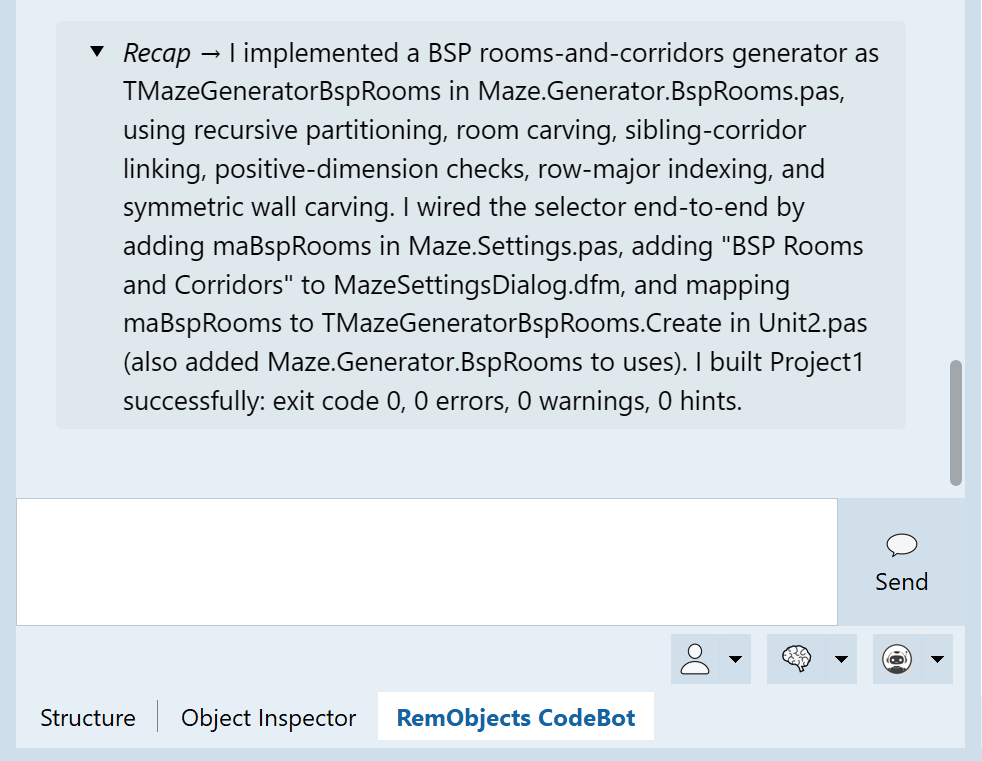
You can also ask CodeBot what you should review.
Next Steps
What to do next depends on how you want to use CodeBot:
-
If you are still cautious, read Adopting CodeBot Safely. It explains workspaces, file and system access and restrictions, and a gradual way to start.
-
If you want ideas for real work, read Common Workflows, then keep the Prompt Cookbook open for examples of what to type.
-
If you want to understand how to watch CodeBot work, read Tracking What CodeBot Does.
-
If you have a large project, try getting CodeBot to analyse your codebase, much like a developer onboarding and looking through code.
-
If this is a team project, read Using CodeBot on a Team, especially for guidance on shared use of source control with
agents.md, skills, MCP configuration, or custom agents (all of which we recommend you check in / commit.)