Slash Commands
Slash commands are a neat feature in the chat entry to allow you to directly invoke specific CodeBot functionality, or route your chat message to a particular CodeBot function.
Usually when you write to CodeBot, it will do the right thing: if you ask it to 'plan out X', it will use its internal planner function; if you ask it a question it will use its internal research/answer function. Slash commands let you skip any ambiguity and directly call that part of CodeBot.
At the start of a chat message, press the / key (forward slash) and a completion menu (similar to code completion) will appear with available commands. Typing further filters them; Tab or Enter to accept.
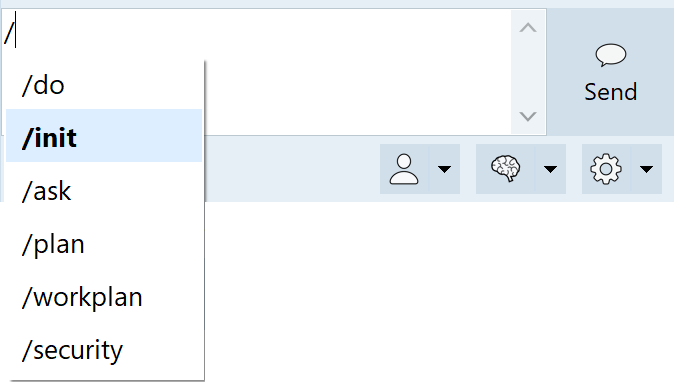
/ in the chat brings up slash command completion.
For any slash command, you can write additional text and it will be sent to the command:
/init Pay attention to the Foobar folder, lots of key items there
Init will work without any extra text, though it always helps to keep CodeBot as informed as possible. For some commands, such as /ask or /do, it only makes sense to invoke them with more text -- to ask a question, you need to write the question; to do something, you need to say what.
The inbuilt commands include:
-
/init: build information about your codebase and store it in anagents.mdfile; see Learning Your Codebase -
/do: implement something; invoke the code writer, or do anything else that requires concrete work reading, writing, and modifying files -
/ask: ask a question, research something; see Ask or Consult -
/plan: given a goal, plus any other requirements, plan steps to implement it; see Planning Before Doing -
/security: review the code for security issues; see Security Review
Custom slash commands
Any custom agents you define are invoked via their name, which becomes a slash command.
MCP Prompts
A MCP server can make prompts available. When servers are installed, these are listed and made available as slash commands.