Sessions
A session (chat session) is a conversation with CodeBot, and all the information around it: CodeBot's memories, research, etc. When you start a new session -- a new chat -- you begin from scratch, with only the basic information CodeBot knows (stored in your agents.md files.)
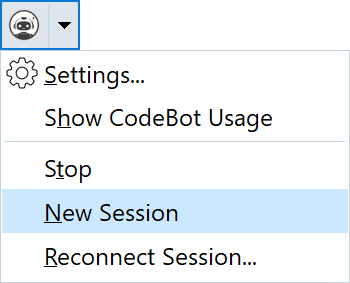
When you first open a project or project group, you will have a new session, but you can always create one again by clicking the  CodeBot menu button, then choosing
 New Session.
We recommend starting a new session for each new major task. If you switch to working on something different, that's the time for a new session.
When the Ask to start a new session when projects change setting is enabled, projects within the same project group are treated as one continuous workspace. Activating, adding, or removing a project in that group does not prompt you to start a new session.
Restoring sessions
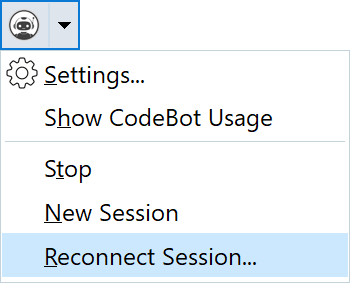
Sometimes you want to continue work where you left off. To do this, you can continue a previously abandoned session by clicking the CodeBot menu button, then choosing Reconnect Session.
This restores the full context and everything CodeBot knew and you had discussed. You can continue working and talking to CodeBot from where you were last time you spoke.
Important: a resumed session assumes that you are using the same project. If you resume a session but have a completely different project open, CodeBot may become confused.
Session data retention
Your current active sessions are present in the CodeBot server, but can be discarded from the server when not used. Their permanent storage is on your hard drive in %appdata%\RemObjects Software\CodeBot\Sessions.  Settings allows you to choose retention including keeping all sessions permanently. By default, sessions are deleted after one month.
See Settings for data retention.