Account Manager
The Account Manager is where you connect external accounts that CodeBot can use when a task needs access to a service outside the current solution or workspace. Itb is availanle from the application menu or the "Tools" menu, depending on your platform, and app.
Connected accounts most importantly include your AI provider(s), such as as OpenAI, Claude or Gemini. These will determine the bulk of operation of CodeBot.
But you can also connect additional services such as Project hosting or (for Campfire) Social Media accounts. Connections to local AI models are also made here.
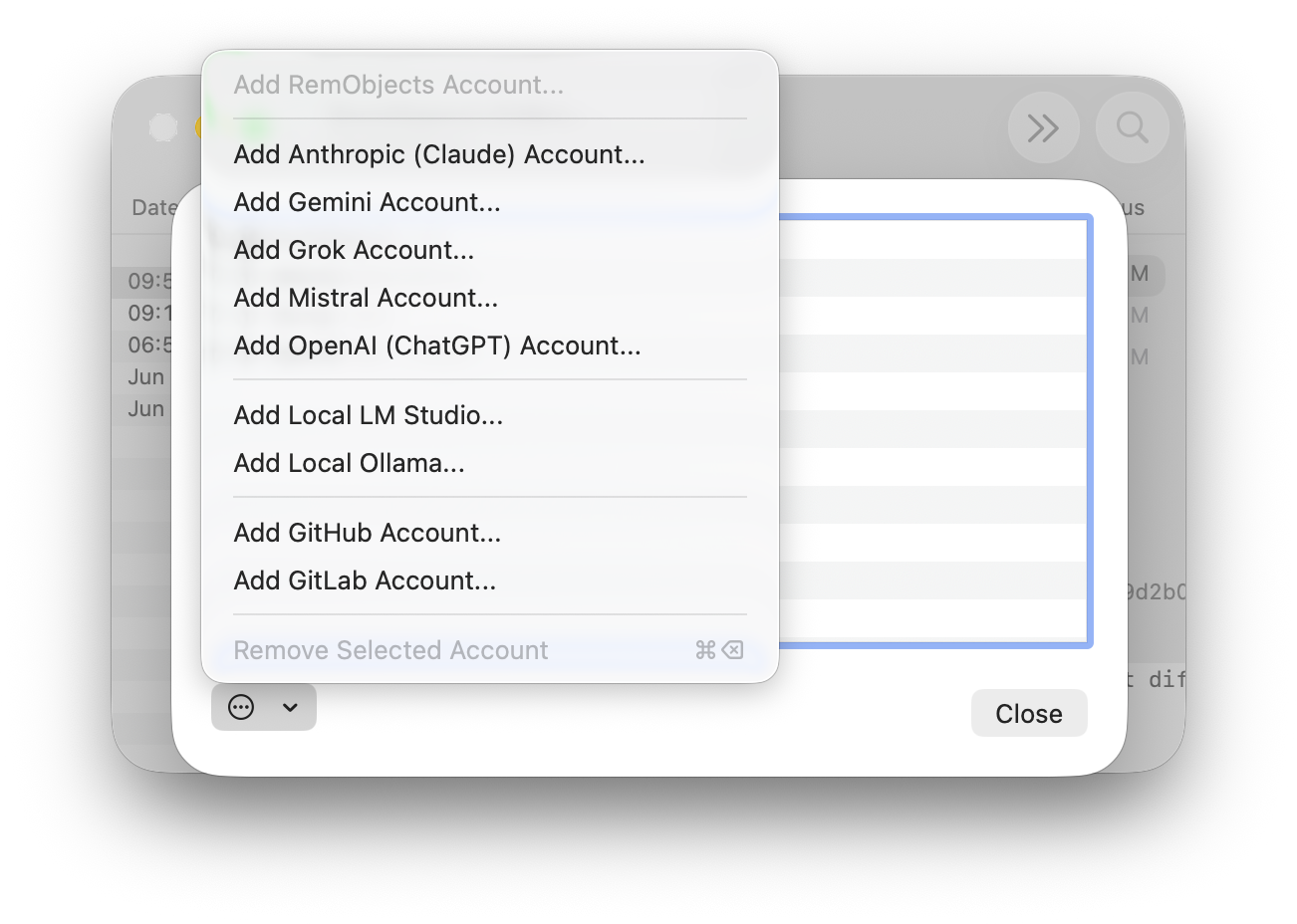
Connect an Account
Typical examples:
- Connect your main AI provider
- Connect GitHub or GitLab before asking CodeBot to inspect issues or pull requests
- In Campfire, connect Discourse to allow CodeBot access to your support forum
- In Campfire, connect social-media accounts to have CodeBot access your Instagram account
- Log in to your RemObjects Software account to download licenses, updates, or (in GitBrowser) use CodeBot Server
Supported Account Types
RemObjects Software
Singing in to your RemObjects account will allow the app to automatically download and update license. In GitBrowser, your RemObjects account can also be selected as AI provider, if you have CodeBot for Delphi credits.
- RemObjects
AI Providers
The following five AI providers are supported base CodeBot functionality, chhat and reasoning:
- Alibaba Cloud
- Anthropic
- Aurelo
- Gemini
- Grok
- Meta
- Mistral
- OpenAI
- Perplexity
Gemini, Grok and OpenAI also have support for image and audio generation (test to speech), and audio transcription (speech to text), with Gemini and Grok also supporting video generation as well).
In addition the following media-only providers are supported (Campfire only), for image, audio and video. These providers do support chat and reasoning.
- Descript (audio transcription)
- ElevenLabs (voice and music generation)
- Kling (image and video generation)
Non-API Accounts
On Mac, you can also connect the following AI accounts via OAuth:
- OpenAI ChatGPT
Connecting your OpenAI ChatGPT account will allow you to work against the usage credits that come with your ChatGPT Subscription (such as Plus, or Pro), rather than paying for direct API key usage. Your AI usage in Fire, Campfire of GitBrowser will come form the same weekly usage bucket as e.g. your Codex or ChatGPT Work usage.
Note: the models and capabilities available in this mode ar enot as powerful and flexible as when connecting an OpenAI API Key.
OpenAI-Compatible Servers or Accounts
You can also connect to third party AI services that provide an API tht is compatible with OpenAI but at a diferent URL – such as ttps://api.minimaxi.com – by choosing the Add an OpenAI-Compatible Account" option.
Local AI Models/Apps
If installed locally on your computer or network, see Setup, you can connect accounts for the following local AI model runtimes:
- LM Studio (chat and reasoning)
- NVIDIA NIM (chat and reasoning)
- Ollama (chat and reasoning)
- ComfyUI (image and video workflows, Campfire only)
Other Account Types
In addition to accounts used to run the AI for CodeBot, you can also connect accounts for services you want to make available so that CodeBot (or the app in general) can interact with them for you.
These account connections are global to the application. For CodeBot to access accounts such as GitHub, GitLab, Discourse or Social Media, you will need to first ask it to connect the current workspace or solution to that account. This only needs to be done once per workspace/solution.
This can be done as sumpel s telling CodeBot "Hey, please connect tis workspsce to the EmberBloom Instagra account i have set up. Thanx!".
CodeBot will ask for one-time approval before connecting a workspace or solution to an external account, and that connection will persist across restarts. CodeBot will also ask fro approval before or taking actions that change external service state, such as creating an ticket, or publishing a post.
See also
- Setup for local AI models